
Staff Mid-Year Appraisal Process
1.
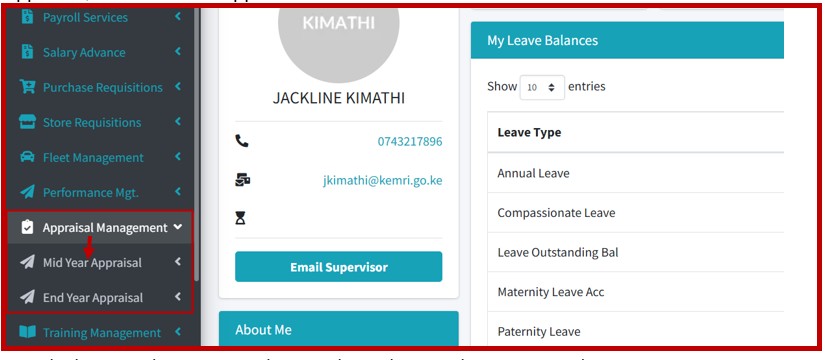
On Login to the Employee Self Service Portal (UTAP), on the navigation bar, click on Appraisal, then Mid -Year Appraisal.

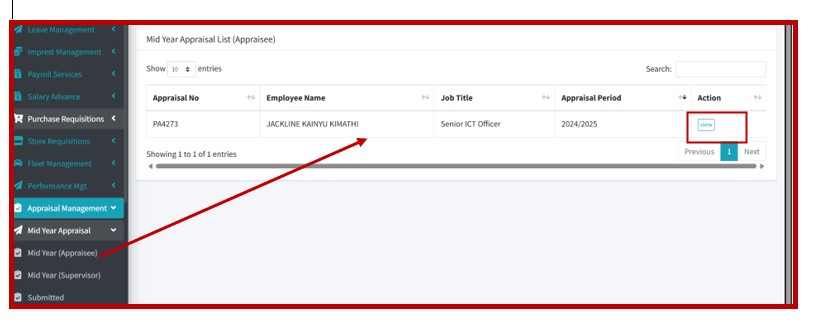
2. On clicking the Mid-Year Appraisal section, click on Mid-Year (Appraisee), and the system shall open the mid-year appraisal autogenerated from the Approved PC. Locate the year’s Appraisal and click on View to open the Appraisal Card.
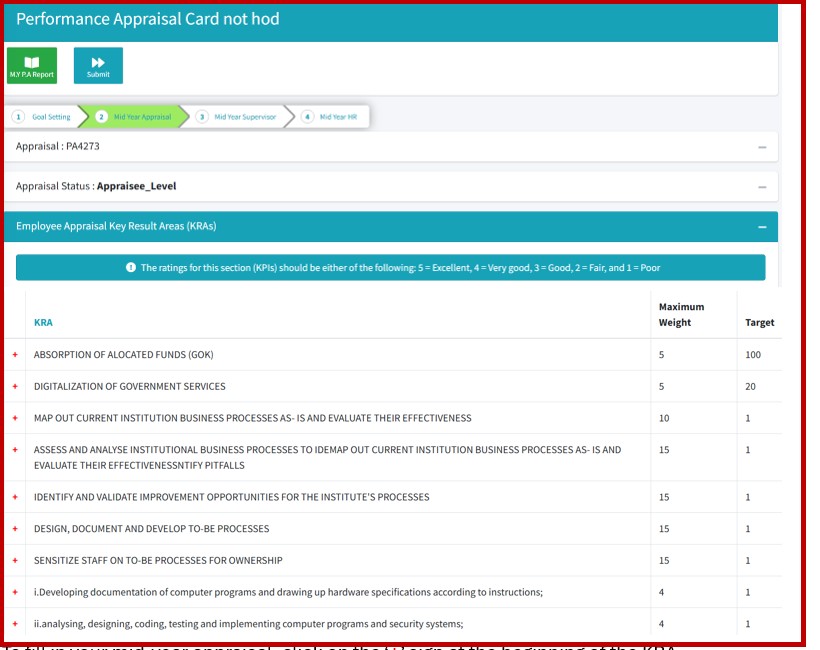
3. The Appraisal card opens to display the Key Result Areas and targets that were set during PC cascading.
4. To fill in your mid-year appraisal, click on the ‘+’ sign at the beginning of the KRA description to expand the KPI section.
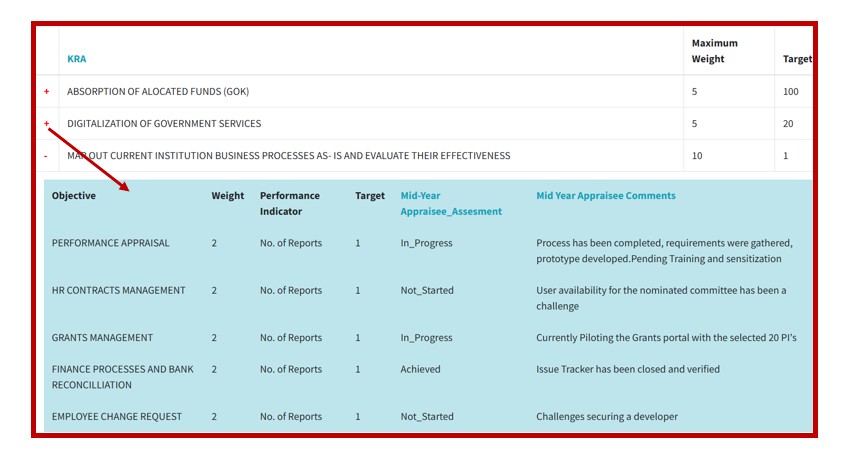
5. You will be expected to fill in two columns that are highlighted in blue on the column headers i.e. Mid-Year Appraisee Assessment and Mid-Year Appraisee Comments.
a. Mid-Year Appraisee Assessment – This shall allow staff to log their progress with the targets in the following status
i. Not_Started- Select this if the activity has not yet started.
ii. In-Progress -Select this if the activity is ongoing
iii. Achieved -Select this if the activity has been fully achieved.
b. Mid-Year Appraisee Comments- Use this column to log any comments that can support your rating above.
N/B: Please note that Mid-Year Review is to assess on the progress of the targets, therefore no attachments or evidence required but this will be required during the End Year Aprraisals.
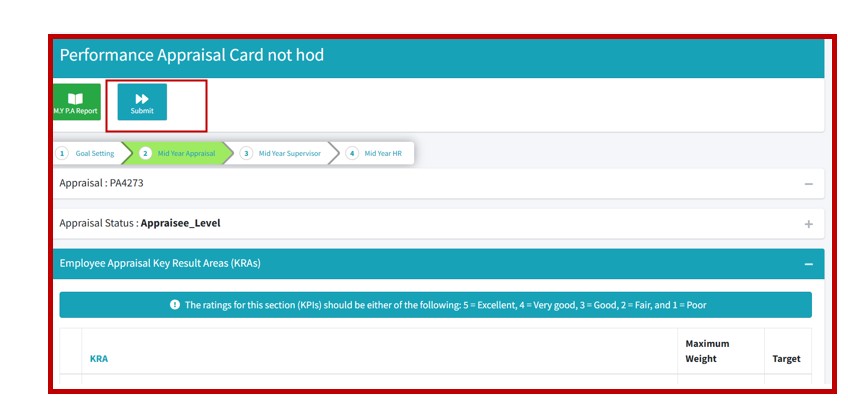
6. Fill in all the sections and once done, submit your Appraisal to the Supervisor.
7. The Supervisor shall receive an email notification to review the Appraisal. Once approved, each staff member should get an email notification alerting the approval status for their Appraisal.