
Mid-Year Appraisal Supervisors/Approvers Guide
1. As a supervisor, to access the staff appraisals that have been sent to you for review, Login into the Employee Self Service Portal (UTAP).Under Appraisal Management, Click on Appraisal module and locate the Mid-Year (Supervisor).
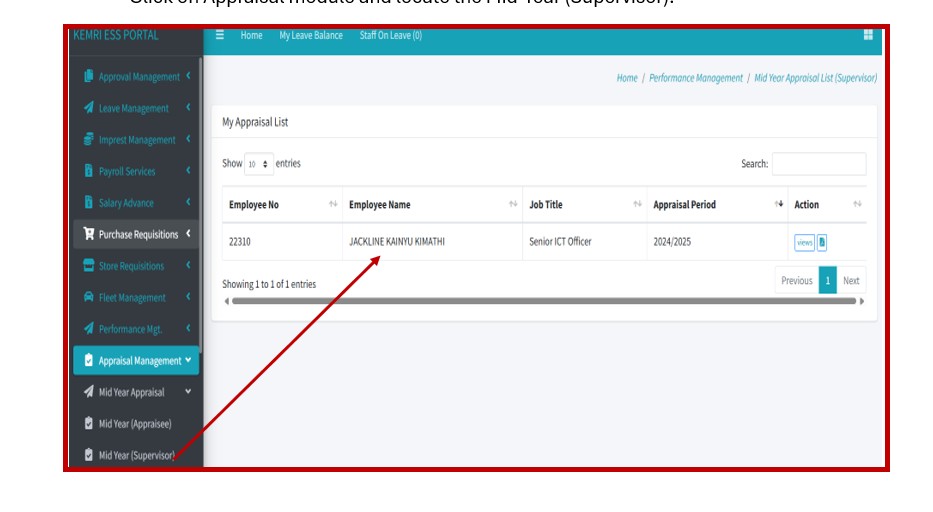
2. On clicking the List of Appraisals under the Supervisor -level list, click on the View button on the respective Appraisal that you wish to review.
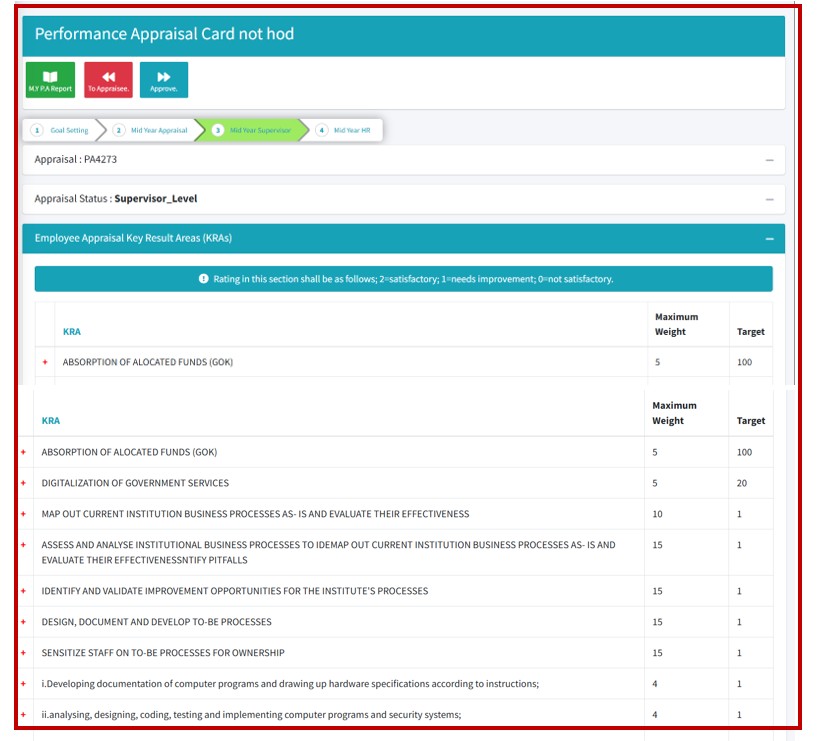
4 To review the Appraisee assessments and comments, click on the “+” sign at the beginning of the KRA description to expand the KPI section.
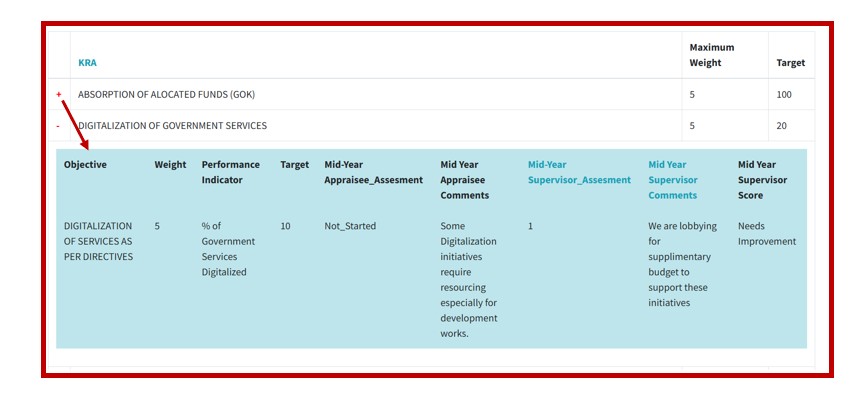
5. You will be expected to review the Mid-Year Appraisee_Assesment and the Mid-Year Appraisee Comments as filled by the appraisee. Then proceed and input the Midyear Supervisor_Assessment and the Mid-Year supervisor comments as shown below.
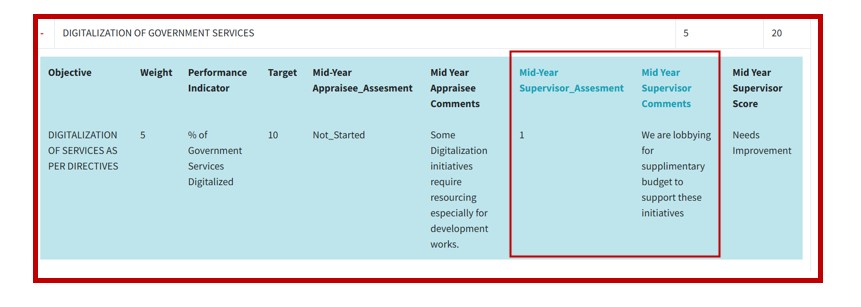
N/B: Assessment rating should be as follows: 2=satisfactory; 1=needs improvement; 0=not satisfactory.
6. Review and assess all areas and then Approve or return the appraisal to Appraisee with a comments on what needs to be corrected.
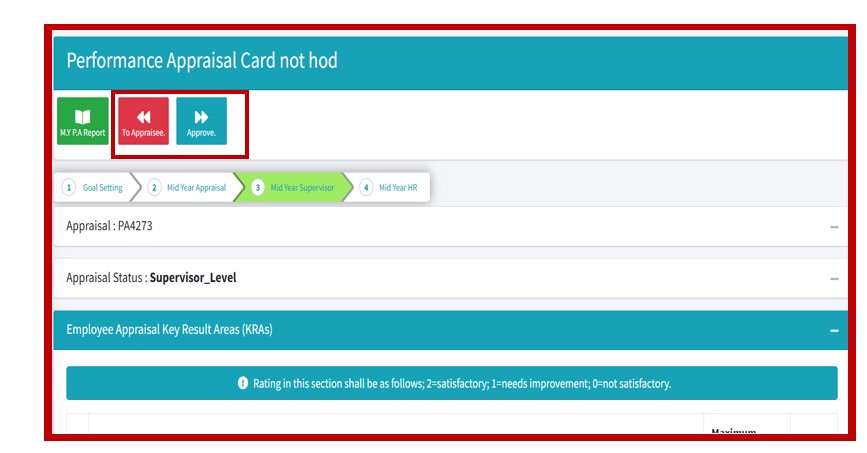
7. On Approval, the Appraisal is forwarded to HR for reporting and compliance.