Salary Advance Supporting Document(s) Attachment Functionality
This feature was requested by the salaries office (Joan Lelei) and was implemented on the UTAP portal by ICT (Francis Njambi).
Here is the nature of the feature:
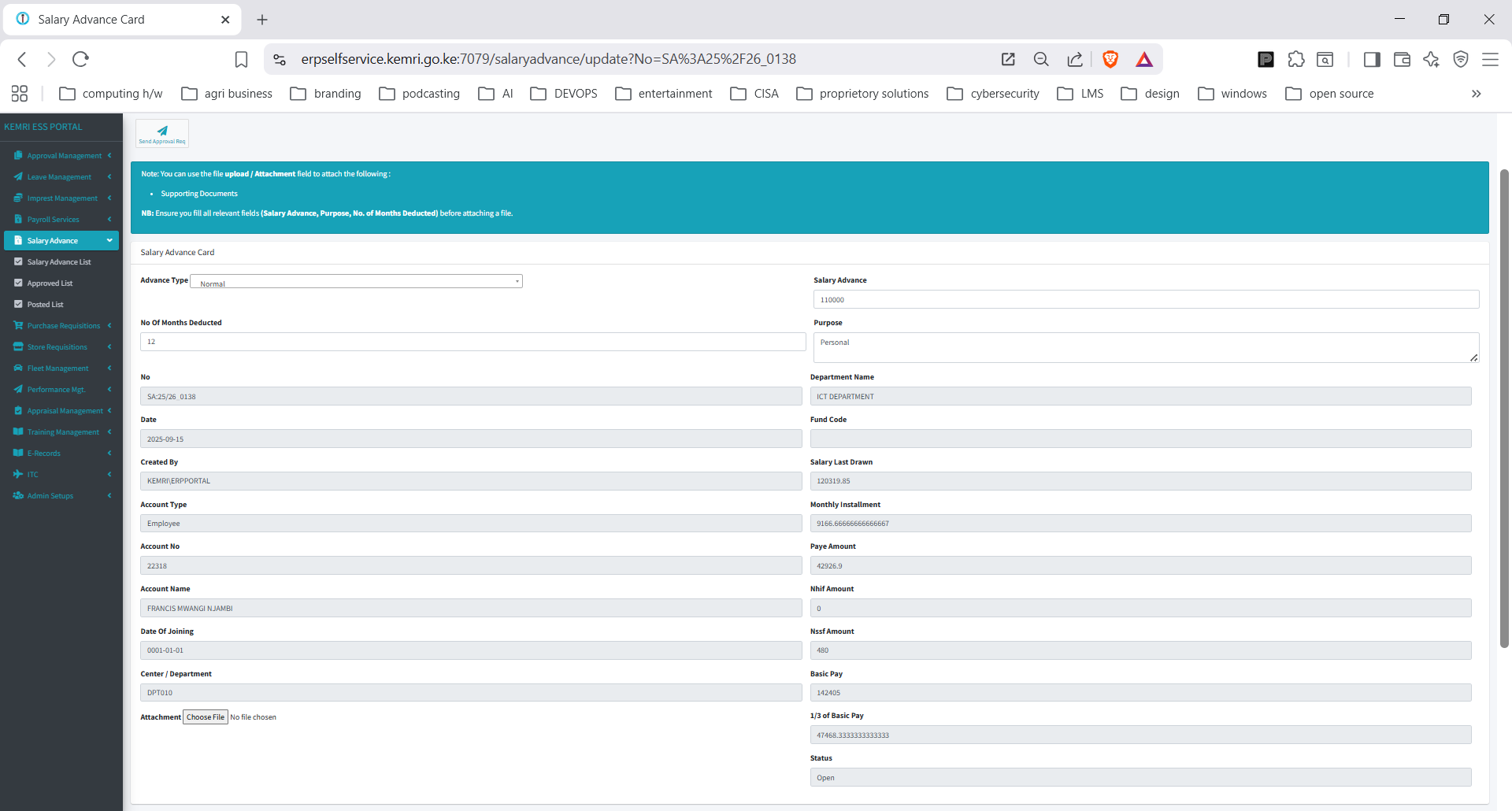
- The user will create a new request, after reading instructions and filling in all required fields, they will then attach a supporting document.
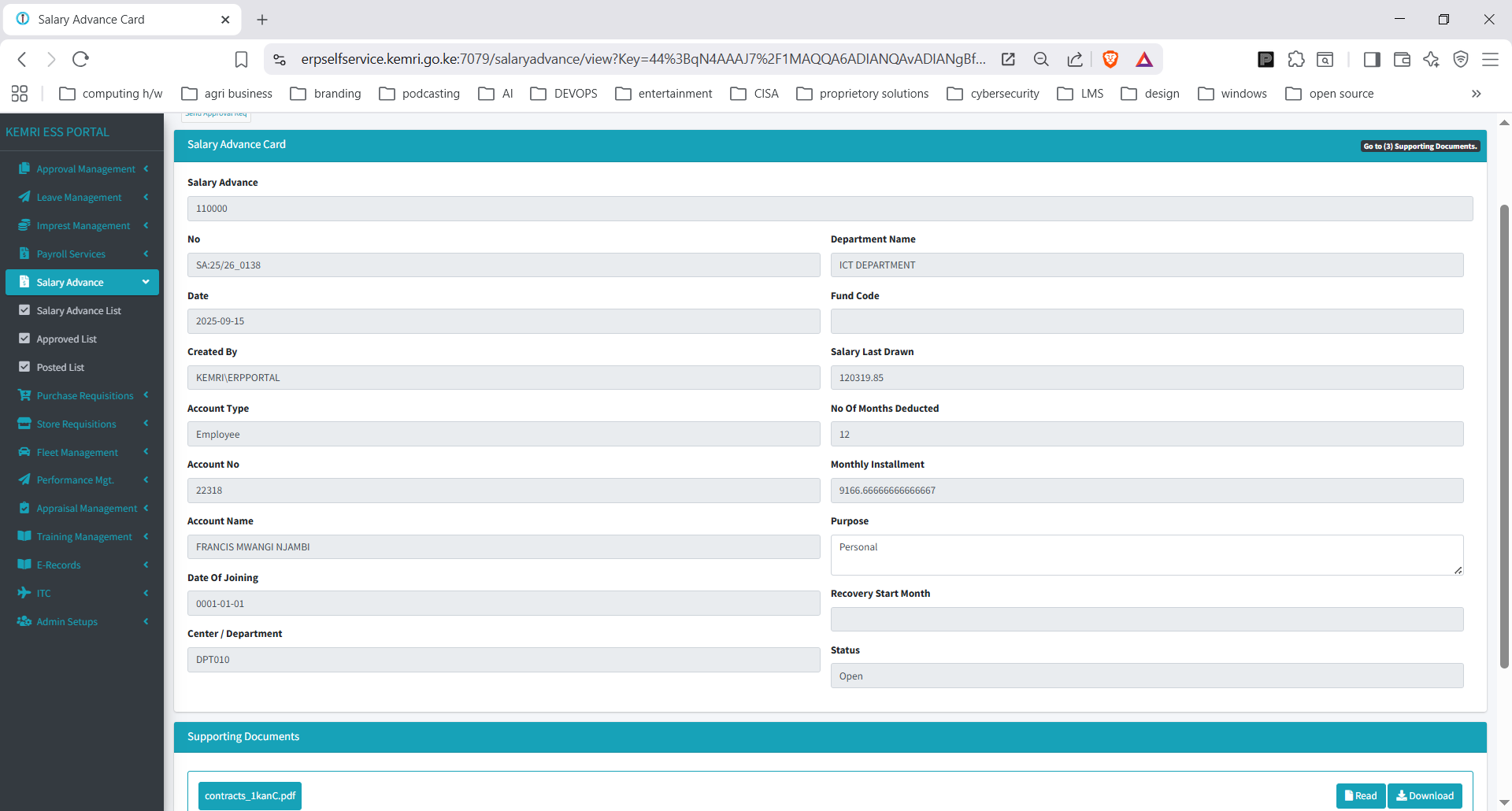
2. Approver view will show the supporting document(s) attached and an indicator of presence of attachments at the top right. The approver can either click the attachment indicator at the top and navigate to the attachments or they can just scroll down then view the attachment(s).
A silent video guide on this has been prepared and published here.